
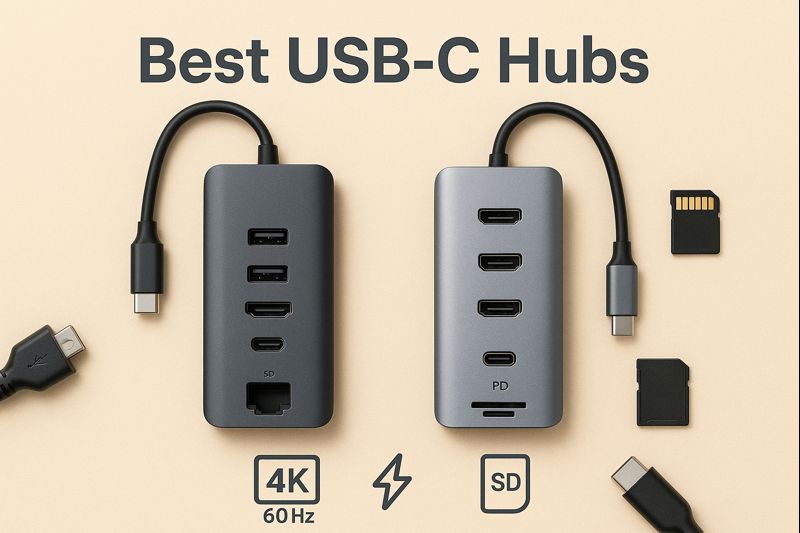
Best USB-C Hubs for Home Office & Daily Use: How to Choose the Right One
USB-C hubs have become essential as laptops move toward fewer ports and more compact designs. According to independent tech reviewers such as TechRadar and Wirecutter, a well-built USB-C hub can significantly improve productivity by simplifying monitor connections, charging, and peripheral use.
👉 You can see broader industry recommendations from trusted publications like TechRadar’s USB-C hub guide and Wirecutter’s USB-C hub reviews for general market comparisons.
The problem?
Not all USB-C hubs are created equal.
In this buying guide, we’ll explain what the best USB-C Hub contains:
- What a USB-C hub actually does
- Which features matter most for home office and daily use
- Common mistakes to avoid
- How to choose the best USB-C hub for your setup
Whether you’re a remote worker, student, or tech-savvy user, this guide will help you buy smarter and avoid compatibility issues.
What Is a USB-C Hub?
A USB-C hub expands a single USB-C port into multiple connections, such as USB-A ports, HDMI, Ethernet, and card readers. Most modern laptops support USB-C expansion, but capabilities vary by device.
For example, Apple explains how USB-C accessories work with MacBooks and which ports support display output and charging, which is important to understand before buying a hub.
👉 See Apple’s official USB-C accessory guide for compatibility details.
For laptops with limited ports (MacBooks, ultrabooks, tablets), a USB-C hub acts as a central connection hub for your workspace.
Why USB-C Hubs Are Essential for Home Office Setups
Remote work and hybrid setups often require external monitors, wired internet, and multiple peripherals. Tech publications like The Verge note that USB-C hubs are one of the simplest upgrades for improving desk efficiency without investing in a full docking station.
If you want a general overview of popular hub types and real-world use cases, The Verge’s USB-C hub recommendations provide helpful context.
(Link to The Verge)
Key Features to Look for in a USB-C Hub
Number and Type of Ports
At minimum, look for:
- 2–3 USB-A ports
- HDMI output
- USB-C power input
If you use cameras or wired internet, consider:
- SD / microSD slots
- Ethernet port
Display Support (4K Matters – Very Important)
Not all USB-C hubs support the same display standards. Some only allow 4K output at 30Hz, which can feel laggy during everyday use.
According to testing from Tom’s Hardware, hubs that support 4K at 60Hz offer a noticeably smoother experience for productivity and media consumption.
👉 You can find detailed display benchmarks in Tom’s Hardware USB-C hub reviews.
Check for:
- 4K @ 60Hz (recommended)
- Dual-monitor support (if needed)
Lower-quality hubs may only support 4K @ 30Hz, which feels laggy for daily work.
Power Delivery & Charging
Power Delivery (PD) allows your laptop to charge while using the hub. However, PD limits vary by model and laptop requirements.
Microsoft provides useful documentation on USB-C hub power and compatibility issues, especially for Windows laptops. Reviewing this can help avoid underpowered charging setups.
👉 See Microsoft’s USB-C hub troubleshooting guide.
Build Quality & Heat Management
Cheaper hubs may overheat or disconnect randomly.
Better hubs usually feature:
- Aluminum casing
- Short, reinforced cables
- Heat-dissipation design
USB-C Hub vs Docking Station
| USB-C Hub | Docking Station |
| Compact & portable | Larger & more expensive |
| Ideal for daily use | Best for fixed desks |
| Lower cost | Higher port count |
While docking stations offer more ports, they are larger and more expensive. Many experts, including reviewers at CNET, suggest that most home office users are better served by a compact USB-C hub unless they require multiple monitors or enterprise-level connectivity.
👉 See CNET’s USB-C hub buying guide for a broader comparison between hubs and docking stations.
Common Mistakes to Avoid When Buying a USB-C Hub
A common mistake is assuming all USB-C ports support video output. In reality, this depends on the laptop’s hardware and firmware.
Both Apple and Microsoft emphasize checking device compatibility before purchasing accessories. Reviewing their official documentation can save you from buying a hub that doesn’t fully work with your setup.
- ❌ Assuming all USB-C ports support video
- ❌ Ignoring power delivery limits
- ❌ Buying ultra-cheap hubs with no certifications
- ❌ Overpaying for features you won’t use
Always check compatibility with your laptop model before buying.
Who Should Buy a USB-C Hub?
A USB-C hub is ideal if you:
- Work from home or hybrid
- Use an external monitor
- Own a MacBook, ultrabook, or USB-C tablet
- Want a cleaner desk setup
- Frequently connect multiple devices
Final Buying Advice
For most users, the best USB-C hub offers:
- 4K HDMI output
- Reliable power delivery
- Enough ports for daily peripherals
- Solid build quality
USB-C hubs are small devices, but choosing the right one can significantly improve your daily workflow. By understanding port types, display support, and power delivery — and by referencing trusted sources like TechRadar, Wirecutter, and manufacturer documentation — you can avoid common pitfalls and choose a hub that fits your needs.
👉 Check our recommended USB-C hubs to see the best options for home office and daily use based on value, performance, and reliability.