
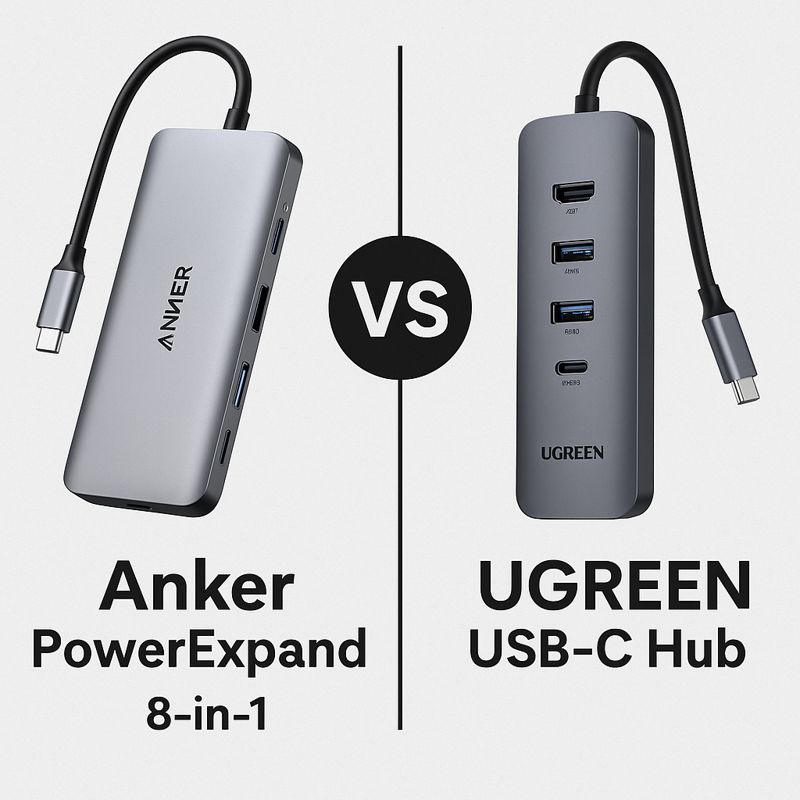
Anker PowerExpand vs UGREEN USB-C Hub: Which to Buy?
If you’re building a home office setup, a USB-C hub is one of the easiest ways to connect an external monitor, peripherals, and charging through a single port. Two of the most popular choices are Anker’s PowerExpand 8-in-1 and the many UGREEN USB-C hub models available online.
So which one should you buy?
In this comparison, we’ll break down:
- Ports and features that matter for daily work
- Display support (4K 60Hz vs 30Hz)
- Charging passthrough and power delivery
- Reliability, heat, and build quality
- Which hub is the better value for your needs
Quick Verdict
Buy the Anker PowerExpand 8-in-1 if you want a dependable “daily driver” hub with consistent build quality and fewer surprises.
Buy a UGREEN USB-C hub if you’re price-sensitive and you carefully pick a model that matches your needs (especially display refresh rate and power delivery).
Key Differences at a Glance
1) Port Selection
Anker PowerExpand 8-in-1 (Typical setup)
Most commonly includes:
- HDMI
- USB-C Power Delivery input
- 2× USB-A
- Ethernet
- SD + microSD
UGREEN USB-C Hub (Varies by model)
UGREEN has many versions: 6-in-1, 7-in-1, 9-in-1, etc. Depending on model, you may get:
- HDMI (sometimes 2× HDMI)
- USB-A ports (often more than Anker)
- USB-C PD input
- SD/microSD
- Ethernet (on some models)
What this means:
UGREEN can offer better port value on paper, but you must confirm the exact model specs before buying.
2) Display Support (This Is the #1 Dealbreaker)
Display support is where many budget hubs fall short.
Anker (more consistent)
Anker models tend to be more consistent about:
- HDMI stability
- Refresh rate support
- Compatibility with common monitors
UGREEN (model-dependent)
Some UGREEN hubs:
- Support 4K @ 60Hz ✅ (best for smooth work)
- Others only support:
- 4K @ 30Hz ❌ (fine for basic use, less smooth)
Rule of thumb:
If you use an external monitor daily, choose a hub that supports 4K @ 60Hz (or at least 1080p/1440p at higher refresh rates).
3) Power Delivery (Charging Passthrough)
Both brands commonly support USB-C Power Delivery passthrough, but limits vary.
Anker PowerExpand
Often supports up to 85W passthrough charging (depending on model).
UGREEN
Ranges widely by model (commonly 60W–100W advertised).
Important note:
Power delivery passthrough isn’t the same as power output to your laptop in real use. The hub uses a small amount of power to run ports.
Recommendation:
- Ultrabooks: aim for 60W PD
- Larger laptops: aim for 85W–100W PD
4) Reliability & Build Quality
Anker
- Known for consistency and quality control
- Better “set it and forget it” experience
- Usually fewer reports of disconnects over time
UGREEN
- Many models perform well
- But experience depends heavily on:
- which model you buy
- cable quality
- heat management
- laptop compatibility
If your work relies on stable connections (calls, meetings, presentations), Anker tends to be the safer bet.
5) Heat Management
All USB-C hubs can get warm — especially when running:
- HDMI output
- Ethernet
- Charging passthrough
- Multiple USB devices
What to expect
- Aluminum hubs typically handle heat better than plastic
- Compact hubs may warm up faster under load
Tip:
Avoid covering the hub or trapping it under papers. Better airflow = fewer random issues.
Which One Is Better for Your Use Case?
Choose Anker PowerExpand 8-in-1 if you:
- Want dependable performance
- Use an external monitor for work
- Want Ethernet for stable video calls
- Prefer a known brand with consistent quality
- Don’t want to “spec-check” every time
👉 Check latest price for Anker PowerExpand 8-in-1
👉 Read our full Anker review
Choose UGREEN USB-C Hub if you:
- Want better value and more ports for the money
- Don’t mind comparing different models carefully
- Are okay with a “good enough” hub for basic daily tasks
- Find a model that clearly supports 4K @ 60Hz (if you need it)
👉 Check latest price for UGREEN USB-C Hub
Buying Tips Before You Decide
Before buying either hub, confirm these 3 things:
Does your laptop support video output over USB-C?
Some USB-C ports are data-only.
Do you need 4K @ 60Hz?
If you use a monitor daily, it’s worth it.
How much charging power do you need?
Match PD wattage to your laptop charger.
Final Verdict: Anker vs UGREEN
For most home office users, Anker PowerExpand 8-in-1 is the better choice because it’s more consistent and less risky.
However, UGREEN can be the better buy if:
- you find a properly specced model
- you mainly want extra ports at a lower price
- you don’t need maximum display performance
👉 Want a simple recommendation? Start with our Best USB-C Hubs for Home Office & Daily Use roundup and pick the hub that matches your setup.
FAQ
Does UGREEN support dual monitors?
Some models do, but support varies and may depend on your laptop’s capabilities.
Is 4K 30Hz bad?
Not “bad,” but it’s less smooth for daily work. For productivity, 4K 60Hz feels noticeably better.
Should I buy a docking station instead?
If you need dual monitors, more ports, and a permanent desk setup, a dock may be better than a hub.