
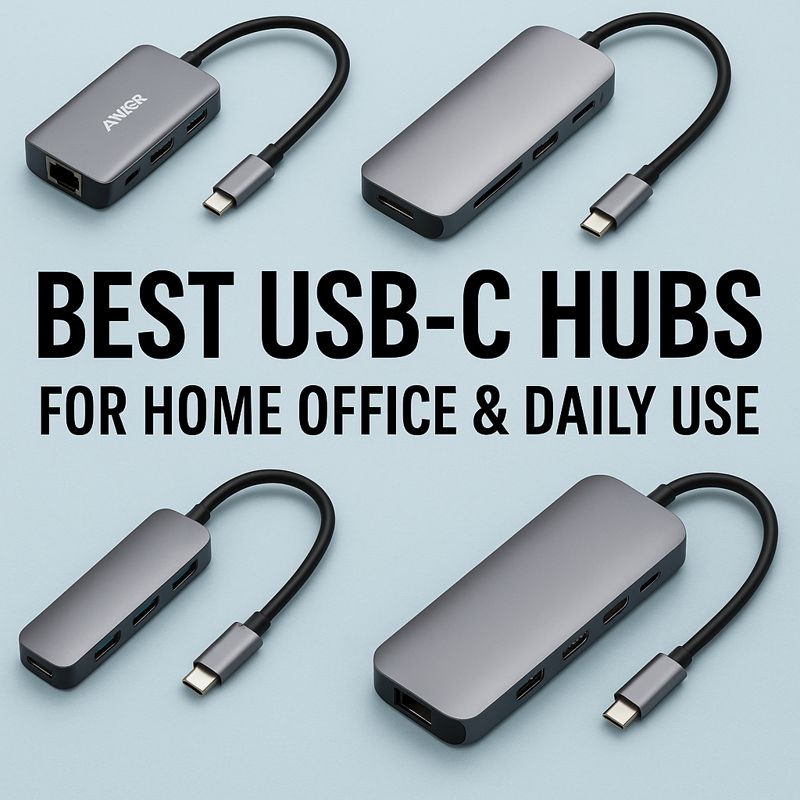
Best USB-C Hubs for Home Office & Daily Use (Top Picks)
If you work from home, use an external monitor, or juggle multiple peripherals, a USB-C hub is one of the best upgrades you can make. The right hub keeps your desk setup simple, reduces cable clutter, and makes your laptop far more usable day-to-day.
In this roundup, we picked USB-C hubs that are well-suited for home office and daily use, based on port selection, display support, charging passthrough, reliability, and overall value.
Quick note: Not every USB-C port supports video output. If you plan to connect a monitor, make sure your laptop’s USB-C port supports DisplayPort Alt Mode or Thunderbolt.
Quick Picks (Best for Most People)
- Best overall: Anker PowerExpand 8-in-1 USB-C Hub
- Best for dual monitors (Windows): Plugable USB-C 4K Dual Display Hub (DisplayLink)
- Best compact pick: Anker 555 USB-C Hub (8-in-1) / Anker 341 (7-in-1)
- Best premium dock-style hub: CalDigit TS4 (power user)
- Best for creators (fast cards + ports): Satechi Multiport Adapter (varies by model)
How We Chose These USB-C Hubs
For home office and daily use, the best hubs usually balance:
- Display output: ideally 4K @ 60Hz
- Power Delivery: 60W–100W passthrough depending on your laptop
- Ports that matter: USB-A, HDMI, Ethernet, SD/microSD
- Reliability: stable connections, less overheating, solid build
- Value: features you’ll actually use
Top Picks
1) Anker PowerExpand 8-in-1 USB-C Hub (Best Overall)
Best for: Most home office users who want a dependable all-in-one hub.
Why we picked it:
A strong balance of ports for work-from-home: HDMI, Ethernet, card readers, USB-A, and Power Delivery passthrough. Great as your “daily driver” hub.
Highlights:
- HDMI for external monitor
- Ethernet for stable video calls
- SD/microSD for file transfers
- PD passthrough charging
Watch-outs:
- Not built for dual-monitor setups (for most laptops)
- Can get warm under heavy use
👉 Read our full review: Anker PowerExpand 8-in-1 USB-C Hub Review
2) Anker 555 USB-C Hub (8-in-1) (Best Alternative Overall)
Best for: People who want a newer Anker option with a similar port mix.
Why we picked it:
Often comparable in features to the PowerExpand line, and commonly available. Good option if pricing/availability is better.
Highlights:
- Strong port selection for home office
- Good brand reputation and support
Watch-outs:
- Specs vary by model/version—confirm HDMI refresh rate & PD
3) UGREEN USB-C Hub (Great Value Choice)
Best for: Budget-conscious users who still want useful ports for daily work.
Why we picked it:
UGREEN hubs are widely used and often provide good value. Great for a simple home office setup (keyboard, mouse, monitor).
Highlights:
- Affordable
- Many models with HDMI + USB-A + PD
Watch-outs:
- Some models only support 4K @ 30Hz—verify before buying
- Build quality varies between models
4) Plugable USB-C Dual Display Hub (Best for Dual Monitors on Windows)
Best for: Windows users who want two external displays from one laptop.
Why we picked it:
Dual monitors are where many basic USB-C hubs fall short. Plugable options that use DisplayLink can solve that—especially when your laptop’s native USB-C video support is limited.
Highlights:
- Dual-monitor capability (common use case)
- Great for productivity setups
Watch-outs:
- DisplayLink often requires software/driver installation
- Not ideal for gaming (latency considerations)
5) Satechi USB-C Multiport Adapter (Best for Creators & Aesthetics)
Best for: People who want a clean, premium-looking hub (MacBook users often like these).
Why we picked it:
Satechi hubs are known for sleek design and good port combos for daily work + light creator workflows.
Highlights:
- Premium build
- Great for travel + desk setups
Watch-outs:
- Specs vary by model—double-check 4K/60 and PD limits
- Can be pricier than value brands
6) CalDigit TS4 (Best Premium Option)
Best for: Power users who want a near “one-cable desk” solution.
Why we picked it:
If you want a stronger, more “dock-like” setup with excellent connectivity, CalDigit is a top-tier brand.
Highlights:
- High-end performance and expandability
- Great for heavy home office setups
Watch-outs:
- Expensive (overkill for basic needs)
- More dock than “portable hub”
How to Choose the Right USB-C Hub (Quick Buyer Checklist)
If you use an external monitor
Choose a hub with:
- HDMI 4K @ 60Hz (ideal)
- Confirm your laptop supports video over USB-C
If you care about charging
Choose:
- 60W PD minimum for ultrabooks
- 100W PD if you have a more power-hungry laptop
If you’re on video calls all day
Choose:
- Ethernet port (stability matters)
If you use cameras or SD cards
Choose:
- SD + microSD readers (convenient + saves adapters)
If you want dual monitors
Look at:
- DisplayLink-based hubs/docks (often best for Windows)
FAQ
Do all USB-C hubs work with all laptops?
No. USB-C ports differ by laptop. Some support charging only, some support video output, and some are Thunderbolt-capable.
Is a USB-C hub the same as a docking station?
Not exactly. Hubs are portable and cheaper; docks are larger and designed for permanent desk setups with more ports.
Should I buy the cheapest USB-C hub?
For basic use, budget hubs can work. But reliability issues (disconnects, overheating, weak HDMI support) are common in ultra-cheap models.
Final Recommendation
If you want the best mix of reliability and features for a home office setup, start with the Anker PowerExpand 8-in-1 (or the closest Anker equivalent available). If you need dual monitors on Windows, consider a Plugable DisplayLink option instead.
👉 Want help choosing? Start with our USB-C Hub Buying Guide and then read individual reviews to find the best match for your setup.